The fastest way to hold a live audience is a steady chat rhythm: start talking before the first comment lands, check chat every 3–5 minutes, and weave questions into the stream instead of boxing them into a segment. YouTube’s own live tools help with this directly — Q&A pins one viewer question at a time, Polls turn silence into a fast vote, and the platform now automatically holds back ads when chat activity peaks.
The 12 tactics below cover the habits that build a returning audience, plus how to use YouTube’s interaction tools and handle a rowdy chat without losing the room.
Key Takeaways
- Start talking before the first comment arrives — don’t wait for chat to lead.
- Pace your chat attention every 3–5 minutes to avoid burnout and keep flow.
- Build callback moments and inside jokes to make your stream feel like a community.
- Weave Q&A naturally into content instead of isolating it as a segment.
- Acknowledge lurkers and newcomers to reduce early drop-off.
Quick-Pick: 12 Stream Viewer Retention Tactics for 2026
|
Tactic |
What It Does |
Effort to Run |
|---|---|---|
|
Talk before chat starts |
Fills dead air in the first 2 minutes, before your numbers even settle |
Low |
|
Build callback jokes |
Bring up what a regular said last time, by name, on air |
Low, compounds over time |
|
Pace chat checks (3–5 min) |
Stop and read 2–3 messages out loud on a timer, then get back to it |
Medium |
|
Weave in Q&A |
Answer a chat question mid-action instead of saving it for a segment |
Medium |
|
Use leading prompts |
Ask “X or Y?” instead of “thoughts?” — binary questions get far more replies |
Low |
|
Always have a “next” loaded |
Queue a backup bit (clip, trivia, dare) for every loading screen or lull |
Medium |
|
Let chat change what happens |
Do the ridiculous thing chat votes for, on stream, no hesitation |
Medium–High |
|
Show up on the same day, every week |
Lock one slot and don’t move it for six weeks, even with low numbers |
Ongoing |
|
Run a weekly chat tradition |
Give chat one recurring bit they look forward to — a “fail of the week,” a running dare |
Medium |
|
Give regulars a name chat recognizes |
Nickname frequent chatters on air so newcomers see an actual community |
Low |
|
Set a visible goal with a real payoff |
Tie a sub or Super Chat goal to something you’ll actually do on camera |
Medium |
|
Ask chat to predict before you reveal |
Get chat guessing right before a big result, then compare live |
Low |
For a longer list of live-stream themes to build around these tactics, see 15 live stream ideas to attract more viewers.
Already ran a few streams?
We can look at those streams and your channel overall, the same way our team benchmarks any of the 3,000+ channels we manage: real Studio data, a comparison against your niche, and a specific plan for what to fix first. → Diagnose my channel.
How Do Top Creators Handle Live Chat?
Every one of these creators runs interaction differently, and most now stream across more than one platform — worth knowing before you copy a specific tactic.
|
Creator |
Signature Technique |
Where to Watch Now |
|---|---|---|
|
Structures chat-driven, multi-creator events — his 2026 Streamer Games drew a 72% jump in hours watched over 2025 by leaning on co-casting and chat-visible team drama |
YouTube and Twitch — his YouTube exclusivity deal ended in late 2024, and he now multistreams both |
|
|
Reads chat without losing the thread of a game or conversation — pacing over volume |
YouTube and Twitch — she’s multistreamed both since returning to Twitch in January 2025 |
|
|
Turns chat into a game itself: trivia, challenges, and shoutouts structured around participation |
YouTube (his main channel), also active on Twitch since 2023 |
|
|
Lets chat call the shots — polls, roasts, and constant back-and-forth banter are the format, not an add-on |
Twitch and YouTube |
CaseOh is worth studying specifically if your channel is smaller: his early growth came from chat-first “Just Chatting” streams, not production value — proof the tactic scales down.
How Do You Interact With Viewers During a Stream?
These tactics are pulled from patterns we've tracked across hundreds of ScaleLab-managed channels. Before getting into chat habits, though, the first one isn't about chat at all: it's about where your stream shows up.
Viewers watch on all kinds of devices. More than 30% of U.S. live watch time happened on connected TVs in 2025-2026. You can now go live in both vertical and horizontal at the same time, with everyone joining a single shared chat. More customization tools are rolling out in the coming months too — vertical cropping layouts in Live Studio, multiple stream keys — giving you the option to send a completely separate, customized feed for each format.
Start Early, or You’ll Lose the Window
The first few minutes of your stream are gold. If someone joins and nothing’s happening in chat and you haven’t acknowledged them, they bounce.
Start the stream already talking, even before the first comment. Say what today’s about. Ask something simple: “Where’s everyone watching from today?” That invites easy answers and kicks off interaction before your numbers settle. Don’t wait for chat to lead. Lead into it.
Try this:
Greet people by name as they join, even mid-sentence. A viewer seeing their own name land in a stream is one of the simplest ways to make them feel noticed — and it costs you nothing but a glance at chat.
Use Repetition to Build a Shared World
Let’s say a viewer named Jasmine always joins and talks about her dog. Bring that up next stream, even casually: “Haven’t seen Jasmine yet — wonder how her dog’s doing.” These small callbacks create storylines. The more inside jokes and callbacks you build, the more your stream becomes a place.
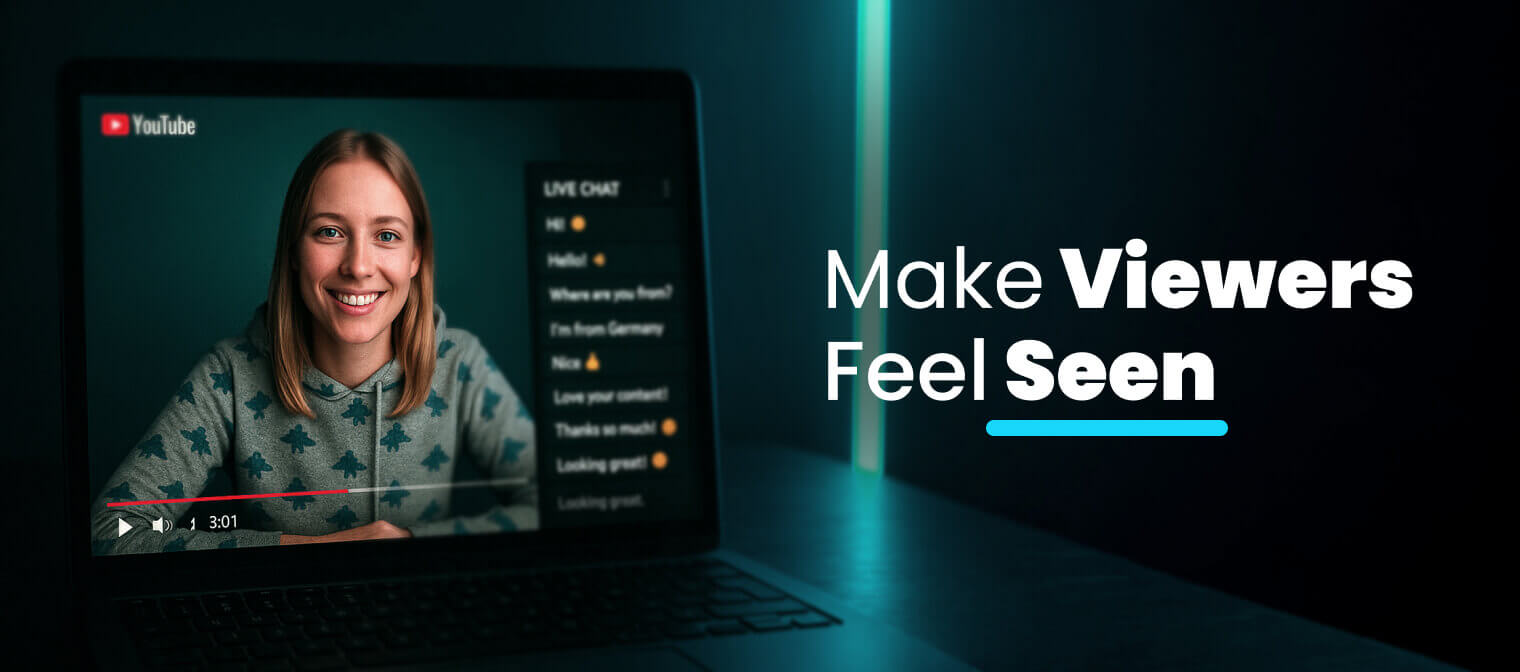
It’s the core of YouTube stream community building. People come back for people, not just for your content.
Pace Your Chat Attention Like a DJ
If you spend the entire stream glued to chat, you’ll burn out fast and derail the content. If you ignore it for too long, your viewers leave. So here’s what works: treat chat like a beat. Come back to it at steady intervals.
- Every 3–5 minutes, pause what you’re doing.
- Check in and respond to 2–3 comments.
- Shift back to your content.
You train your audience to expect interaction at a rhythm.
Also, be honest about when you can’t read chat. Say, “Hey folks, focusing on this part, but I’ll come back to chat in five.” That earns patience instead of frustration.
Don’t Overhype Q&A — Just Weave It In
One common mistake is isolating Q&A as a 10-minute “segment.” That works sometimes, but what works better is folding it in as you go.
Let questions naturally shift your direction. It’s one of the simplest YouTube live Q&A strategies: “Hold on, someone in chat asked about this — let’s try it and see.” That keeps it interactive without derailing your topic.
And don’t answer just once. Reference the question later. It creates loops and gives your stream a feeling of continuity, like a real-time conversation instead of a broadcast.
Prime Chat With Leading Prompts
Ever notice how sometimes a question just lands? It gets 10 responses. That’s structure. Open-ended questions like “Thoughts?” rarely get replies. Instead, use binary or tiered prompts:
- “Would you rather see X or Y?”
- “Scale of 1–10, how would you rate that move?”
- “Should I go here or wait it out?”
These quick calls create decisions, and decisions trigger responses. It’s one of the best ways to engage stream viewers fast. Even better if you bring it up again later and reflect on the chat’s opinion. That’s how to get more chat activity, without gimmicks.
Show Up on the Same Day Every Week
Consistency is a specific commitment: pick one day and time, and don’t move it for six weeks, even if the first few streams pull ten viewers.
AIR’s 2025–2026 research across 404 streaming channels found that subscriber growth per hour streamed peaks at 2–3 scheduled, promoted event-style streams a month — not daily marathons, a predictable slot your audience can actually plan around. If Tuesday 8 PM is your slot, Tuesday 8 PM is your slot during a slow week too. Need format ideas to keep that slot fresh without changing the schedule around it? Start with 15 stream topics that attract more viewers.
Have you heard of 24/7 streaming?
It runs on videos you already have, keeping your channel alive when you can't be on camera. Creators typically see an extra 10–30% in revenue once a 24/7 stream is stable, and on some channels live ends up carrying the majority of total income. Watch time and channel activity hold steady between uploads too, since the stream never stops. → Show me how 24/7 live streaming works.
Always Have a “Next” Loaded
Dead air is where viewers leave. The fix is never letting a lull sit for more than a few seconds without something queued to fill it.
Say your game freezes on a loading screen. Instead of sitting there in silence, pull up a chat leaderboard of guesses for what happens next, launch into a 30-second rant about the worst boss fight you’ve ever played, or read out the weirdest username currently in chat. None of it needs to be planned days ahead — it just needs to be ready: a clip folder, a running dare list, three trivia questions you can fire off cold.
Say something, respond to chat, return to your content, ask a new question. Loop it. You’re the host — the tempo starts with you, and calm is fine. What kills a stream is silence with nothing coming after it.
Let Chat Change What Happens
Letting chat “influence” the stream is easy to promise and easy to fake. The test is whether you actually follow through when the vote is inconvenient or a little embarrassing.
- Chat votes to rename your in-game pet something ridiculous — you do it, on camera, immediately.
- Chat dares you to finish a level using only one hand — you take the dare, at least sometimes.
- Chat starts a running bit mocking your terrible cooking — you lean into it instead of shutting it down.
CaseOh’s whole format runs on this: the chat’s vote isn’t a suggestion box, it’s the plan. That’s the difference between a poll that decorates your stream and one that actually steers it — and viewers can tell which one they’re watching within a few minutes.
Run a Weekly Chat Tradition
Give chat one recurring bit that only happens on your channel, and give it a name. “Fail of the Week” (chat picks your worst clip and you react to it live), a running dare chat escalates each week, a recurring “ask the chat professor” segment where a regular gets to explain something absurd — the content matters less than the fact it’s the same time, same bit, every week.
Traditions are why people come back on time instead of catching the replay later. A one-off joke is forgotten in a day; a weekly bit becomes a reason to show up live.
Give Regulars a Name Chat Recognizes
Nicknames turn strangers into a cast. When a viewer named Marcus asks the same kind of chaotic question every stream, start calling him “Chaos Marcus” on air — not mockingly, just as a running tag. New viewers notice this within minutes: it signals there’s an actual community here, not just a stream with a chat window attached.
This costs nothing and compounds fast — a nickname from three streams ago is a callback that makes a regular feel like a character in something ongoing, not just a username scrolling past.
Set a Visible Goal With a Real Payoff
A subscriber goal or Super Chat goal works well if the payoff is concrete and you actually do it. “Hit this Super Chat total, and I try the dish chat picks,” “get to this number and I read every username in chat out loud” — vague goals with vague rewards (“something special!”) get ignored.
Put a number on the bar, keep it visible on screen, and follow through the moment it’s hit — even if the payoff is small. The goal is what turns quiet watching into people actively rooting for a number to move.
Ask Chat to Predict Before You Reveal
Right before a result — a boss fight outcome, a Wordle guess, a cooking attempt, a challenge you’re about to attempt — stop and ask chat to call it first. “Quick, before I open this: how many tries did it take me last time?”
This takes ten seconds and turns a passive moment into a shared one: chat has a stake in the answer before they see it, and comparing the guesses to the real result afterward gives you an easy, unscripted bit either way.
How Do You Use YouTube’s Live Interaction Tools?
You don’t need third-party software to run any of this — YouTube’s Live Control Room has native tools built into the chat panel.
|
Tool |
What It Actually Does |
Best Moment to Use It |
|---|---|---|
|
Pins one viewer question at a time to the top of chat while you answer it |
Multiple people are asking the same thing |
|
|
Chat votes on up to four options; results update in real time |
A decision point — “which boss next?” |
|
|
Viewers pay to pin a message during a live stream, highlighted by tier |
You want to reward and spotlight a supporter by name |
|
|
Same idea as Super Chat, but works on regular uploads and Shorts too |
Someone tips outside of a live moment |
|
|
One-tap emoji reactions viewers send without typing |
A big moment where you want visible energy fast |
|
|
Viewers send paid animated gifts — in 2026, on horizontal streams too, not just vertical, straight from mobile |
Your audience watches landscape and you want mobile tipping without switching stream formats |
Start a Live Q&A from the “Add” menu at the bottom of the chat window, then select questions from the list that appears — the one you pick gets pinned automatically. Polls work the same way, capped at four options per poll.
There’s also a quieter reason to lean on chat now: as of April 2026, YouTube’s system automatically holds back ads when live chat engagement hits its peak, and gives anyone who sends a Super Chat, Super Sticker, or gift a short ad-free window as a thank-you. Both only work if you have automatic ads turned on, but together they mean an active chat now literally interrupts your stream less often.
How Do You Handle Trolls and Toxic Chat Without Killing the Vibe?
A rowdy chat isn’t the same problem as a toxic one — treat them differently.
- Turn on slow mode or subscriber-only chat for the window when things get messy, not as a permanent setting.
- Let YouTube auto-hold flagged messages. Opt in from Studio settings, and the system will hold potentially inappropriate live chat messages for your review before they show to anyone — you still make the final call.
- Assign a moderator. A standard moderator can remove messages and put someone in timeout; a managing moderator gets more permissions. Either way, chat health stops being your job alone mid-stream.
- Block or report repeat offenders rather than arguing with them on camera.
- Don’t read hostile messages aloud. Amplifying them is exactly what keeps them coming.
Viewer Interaction Checklist for Live Streamers
Before you go live
- Have your opening line ready — no dead air while you settle in.
- Decide your chat-check rhythm (aim for every 3–5 minutes).
- Pre-write one or two leading prompts.
- Turn on Q&A and Polls in the Live Control Room if you plan to use them.
- Set your blocked-word list and decide your slow-mode threshold in advance.
During the stream
- Greet new names as they join.
- Pin the question or message you’re responding to.
- Bring back a callback from a regular viewer’s last visit.
- Read Super Chats aloud by name.
- Check in on chat every 3–5 minutes, even during a focused segment.
You Don’t Need a Big Audience to Build a Big Stream
Live streams work best when they feel alive — reactive, responsive, surprising. But you can’t always be on.
There is an option to go live 24/7 without being glued to the camera the whole time.
- Stream your best content while you sleep or edit.
- Test new formats to see what gets the most engagement.
- Keep chat alive even between uploads or recording sessions.
And when you do jump in live, the audience is already primed. The algorithm is already feeding your stream. You pick up right where you left off.
Gyre runs 24/7 streams, preloaded with your best videos, while you focus on engagement. It gives you more chances to meet viewers live, while the stream keeps pulling new people in nonstop.
Want Us to Look at Your Streams?
We can review your setup, your chat habits, and how your format actually lands with viewers — then tell you specifically what to adjust first. Reach out, and we'll walk through it.
ScaleLab is a force multiplier for creators, designed to help them scale their digital presence. We are a US-based company and part of AIR Media-Tech, a leading global creator ecosystem. With a suite of 30+ tools and a team of experts, we help creators grow their income, increase engagement, and protect their content through growth strategies, AI-powered content management, global localization, financial flexibility, brand-deal enablement, distribution, live streaming, and channel safety services. ScaleLab is a YouTube Certified Partner.